Store check for Google Shopping
Free Google Merchant Center compliance scan
FeedShield reads your store the way a Merchant Center review does and shows what could get it suspended from Google Shopping. Every finding shows the page and the text behind it, and a short note on how to fix it.
- Free, no signupNo account and no card.
- Reads public pages onlyWe only read your public pages and change nothing.
- About a minuteMost scans finish in about a minute.
Works with Shopify, WooCommerce, BigCommerce, Magento, Squarespace, or any store with public product pages.
- Already suspended? See what to do
- See a sample report
Animated example: FeedShield scanning a made-up store and flagging issues.




Example store, made up
Example: a scan of a made-up store. Your report shows your own pages.
How it works
From your address to a report
Paste your store's address and the report opens when the scan is done. Most scans finish in about a minute.
Animated example: the three steps of a free scan, shown on a made-up store.
Step 1
Paste your store's address
Type the address of your store's home page and press Scan my store. You do not need an account or a card.
Step 2
The scan reads your pages
It opens your home page, your policy pages and a sample product page the way a shopper's browser does. It changes nothing on your store.
Step 3
You get a report with a verdict
Ready, Review or At risk at the top, then every finding with the page, the text behind it and a short note on how to fix it.
Example pictures of a made-up store, vireodaily.com.
Eight areas
What the scan checks
The list starts with what most often decides a Merchant Center review: missing policy pages, a store that is hard to contact, and checkout surprises. Each finding is filed as a blocker (Fix now) or a risk (Review).
Policy pages
A returns and refunds policy, a shipping policy, a privacy policy and terms, and whether shoppers can find them.
Example finding
Made-up store
Fix nowNo refund policy
- What we saw
- The footer links to shipping, privacy and terms, but not to a refund or returns policy.
- Why Google cares
- Merchant Center asks for a clear return and refund policy that shoppers can find before they buy.
- How to fix it
- Publish a refund policy page and link it from the footer and the product page.
Return/Refund Policy accessible
Swipe the cards to see all eight areas.
What you get
A report you can act on
Findings show what we saw on your pages, why it matters and how to fix it. This is FeedShield's sample report for a fictional store.
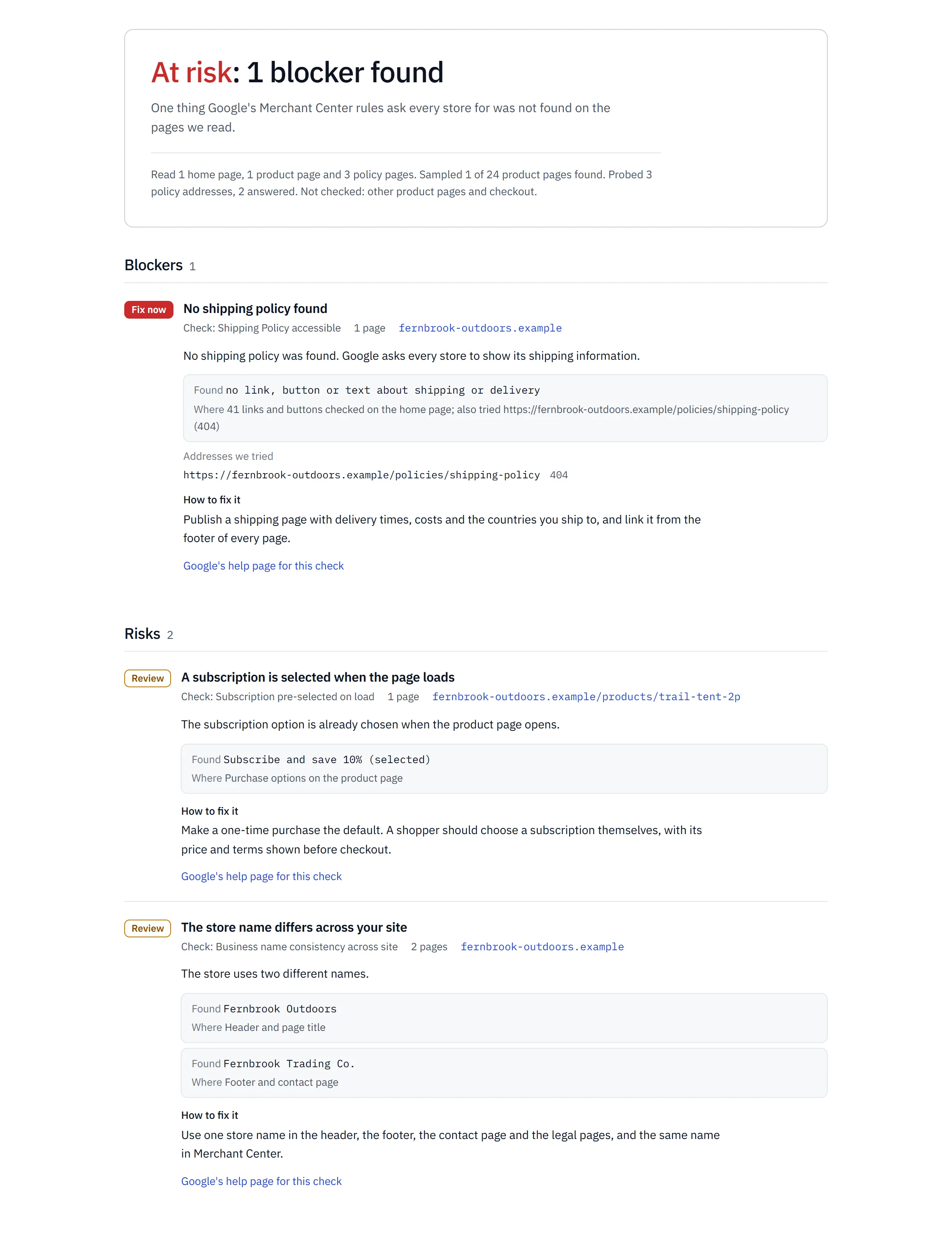
Scroll or drag the report to explore.
Free scan and paid plans
What the free scan does not check
The free scan is a one-time check of your public pages. Here is what it leaves out, and what the paid plans add on top.
Free scan
$0, no signup
What it reads
Not in the free scan
- Your product feed. Comparing the feed with your pages needs a Merchant Center connection, which comes with the paid plans.
- Your Merchant Center account settings, warnings and past reviews.
- Pages behind a login, and most of your product pages: the free scan reads your home page, your policy pages and a sample product page.
- Anything that changes after today. Paid plans scan again every day.
Paid plans
From $39 a month
What they add, with Merchant Center connected
In every paid plan, from Starter up
- Daily automated audits of your policy pages, product pages, pricing and checkout
- Connect Google Merchant Center
- AI fix recommendations
- Deep product page analysis
- Policy change alerts
- In-app alerts when issues are detected
Cancel any time through your billing portal.
Want to see a report first? Open the sample report.
Already suspended
Suspended right now?
A scan shows what to fix, but it will not lift a suspension on its own. We can make the fixes with you and scan again before you ask Google for a review.
The way back, step by step
Account suspendedGoogle
Merchant Center shows your account as suspended.
Scan your storeYou, free
The report shows what on your pages may have caused it, with the evidence.
Fix the pagesYou, or with us
Do it yourself from the report, or send a fix request and we make the fixes with you.
Scan againYou, free
Check that the findings are gone before Google looks again.
Ask Google for a reviewYou
Request the review in Merchant Center. Only Google can lift a suspension.
Is the scan free?
Yes. You do not need an account or a card. Paste your store's address and the report opens when the scan is done.
Does it check my Google Shopping feed?
No. The free scan reads your website the way a Merchant Center review does. Feed checks compare your Merchant Center feed with your pages, and they need a paid plan with Merchant Center connected.
Will the scan change anything on my store?
No. It reads your public pages the way a shopper's browser does and changes nothing.
How long does it take?
Most scans finish in about a minute. If one of your pages does not answer in time, the report says which check could not run.
What do Ready, Review and At risk mean?
Ready means we found no blocker and no risk on the pages we read. Review means no blocker, but something that could count against you in a Google review. At risk means something Google asks every store for is missing, or a product Google does not allow was found. Incomplete means a check that decides the verdict could not run.
My account is already suspended. What now?
The scan shows what on your pages may have caused the suspension, with the evidence. Fix those first, then ask Google for a review in Merchant Center. A scan does not lift a suspension: only Google can, after a review. If you want us to make the fixes with you, send a fix request.
See your store the way a policy review would
Paste your store's address. You get every finding with its evidence and a short note on how to fix it. Most scans finish in about a minute.